Updates
Dec 18, 2025
This Holiday Update is here, and it's packed with features you've been asking for! We've been listening closely to your feedback, and we're excited to share tools that'll make creating playable shorts more enjoyable and efficient. Here's everything new in Beam v3.9.0.
Create Multi-Shot Videos with Powerful New AI Models
We're thrilled to introduce two new video models that open up exciting storytelling possibilities:
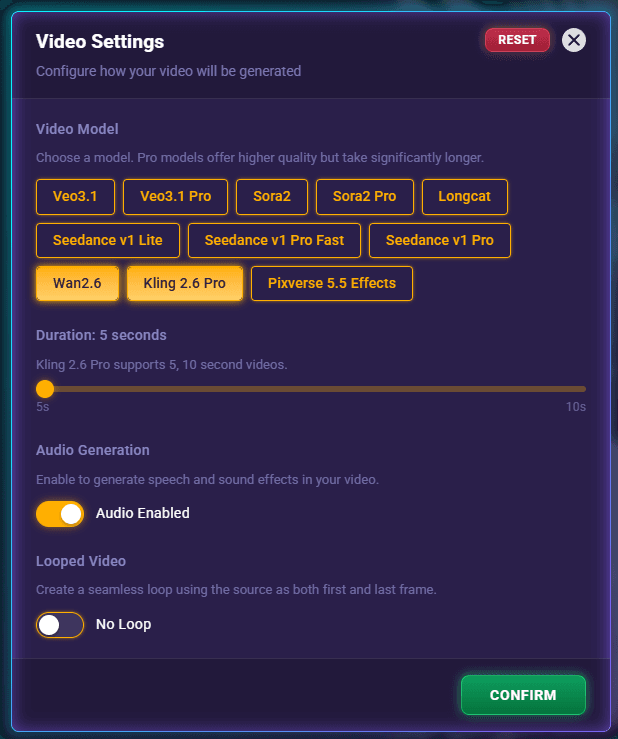
Wan 2.6 Video Model
This one's special! Generate videos at 5, 10, or 15 seconds with true multi-shot capabilities. Simply use the 'shot' keyword to define distinct scenes within a single video—perfect for creating engaging narrative sequences with multiple camera angles and locations.
Just a heads up: because of the complex multi-shot processing, generation times run around 4 minutes. Grab a coffee while the magic happens!
Kling 2.6 Pro Video Model
We love this one for its versatility! Generate 5 or 10-second videos with built-in audio generation. It really shines with anime aesthetics and cinematic scenes—especially action sequences, explosions, and fight choreography. Plus, it's faster, at around 2-3 minutes per generation.
Faster Image Generation by Default
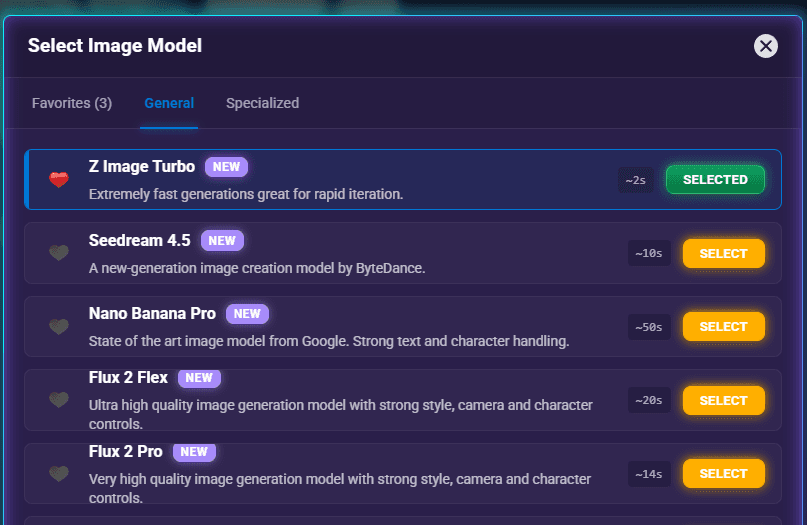
Beyond video, we've also improved image generation speeds. We've made Z Image Turbo the default for image generation as it delivers great quality much faster than Imagen4. Of course, you can easily switch back to Imagen4 whenever you'd like.
Build Seamless Video Transitions
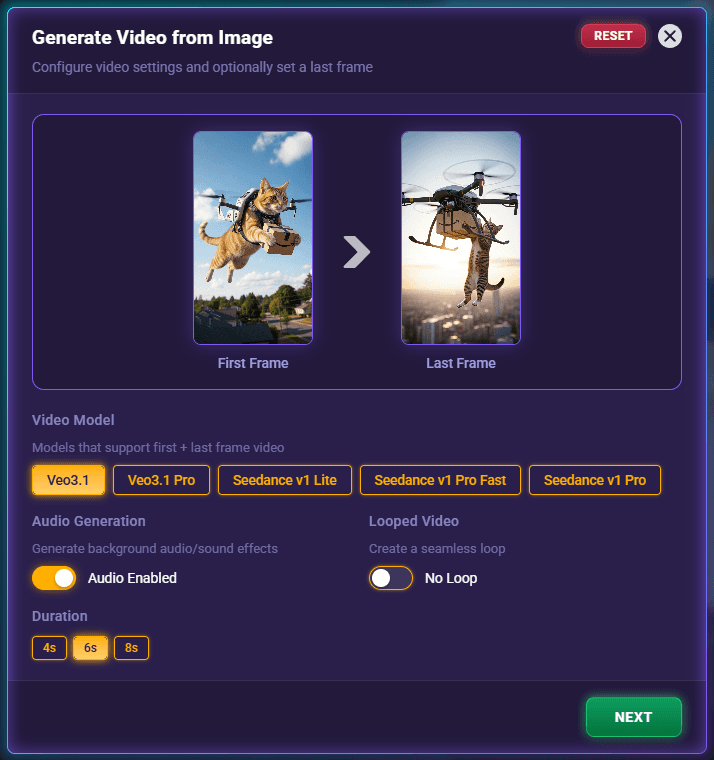
We've given the Generate Video from Image feature a major upgrade with something really cool:
Last Frame Selection
Now you can create beautifully smooth transitions by choosing both the first and last frame of your video. Pick any image you've generated as your ending frame, or even use the opening frame from another video you've made. This feature is a game-changer for creating professional continuity between scenes in your playable shorts!
Reuse Your Favorite Assets Across All Projects
This is one of your most-requested features, and we're so happy to deliver it!
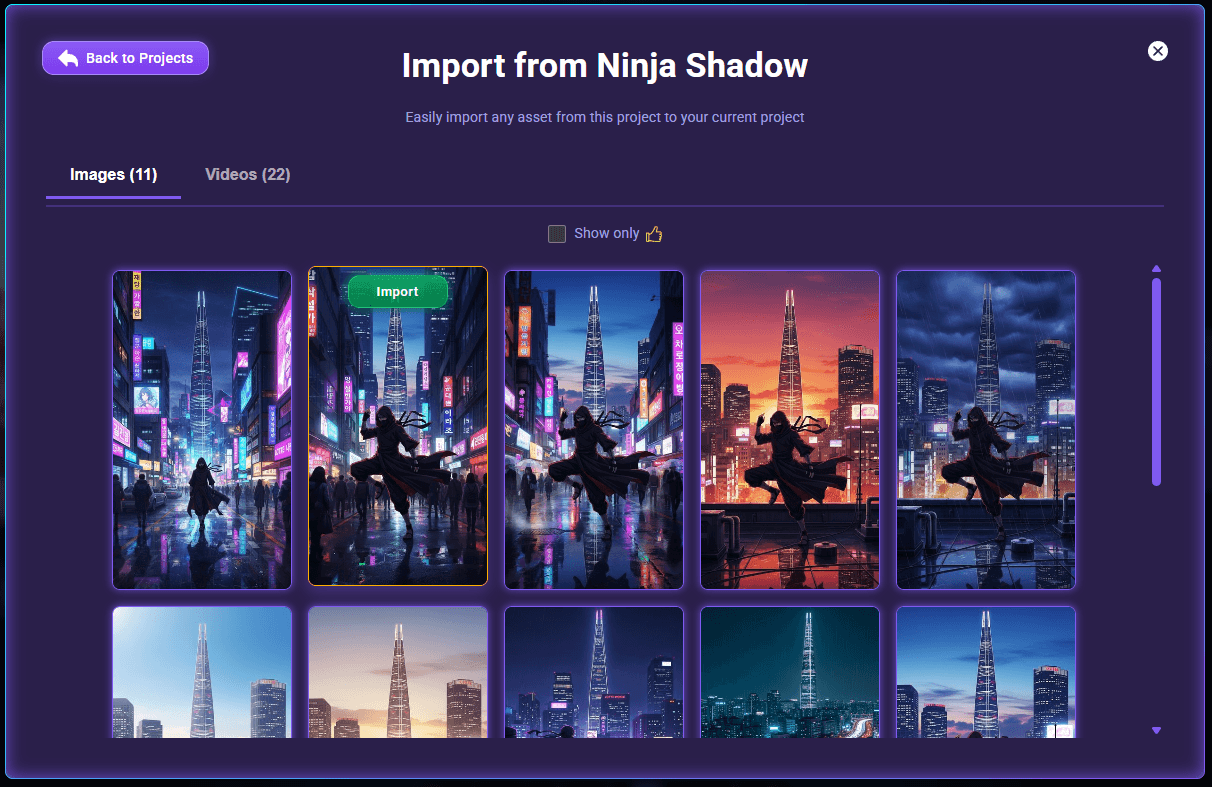
Import Assets Tool
Remember that awesome character you created three projects ago? Now you can bring it into your current work! Import any asset—images, videos, audio—from any of your previous projects. This will help keep consistency in characters between projects. These are real copies that keep working even if you delete the originals or archive the source project. Build your own library of go-to characters and elements that you can use again and again across multiple playable shorts.
Take Complete Control of Your Prompts
We've made prompt crafting more powerful and user-friendly:
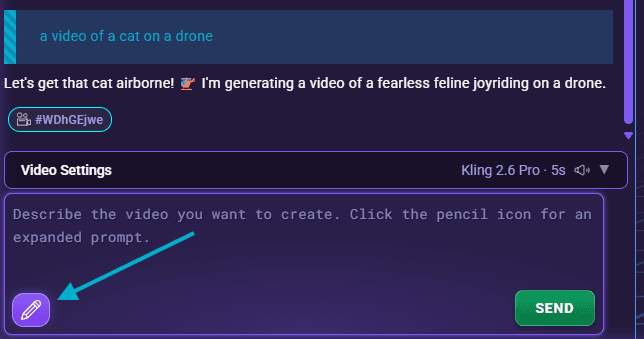
Expanded Prompt Modal
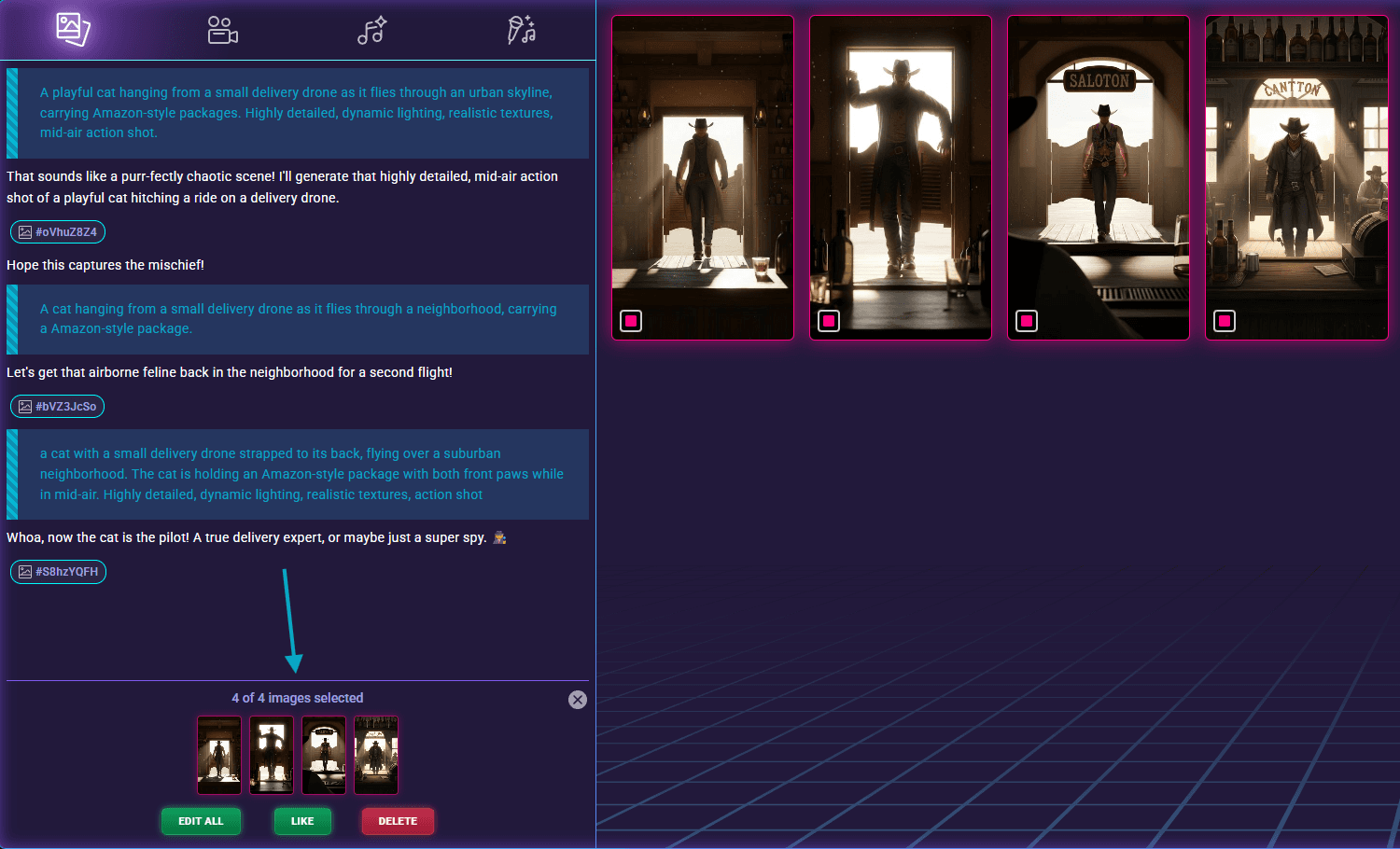
You asked for more room to work, and you got it! The new expanded interface gives you plenty of space to craft detailed prompts. Even better, you can now browse through your complete prompt history for each asset and edit or resubmit any previous generation. It's perfect for fine-tuning your way to exactly what you envision.
Exact Prompt Mode
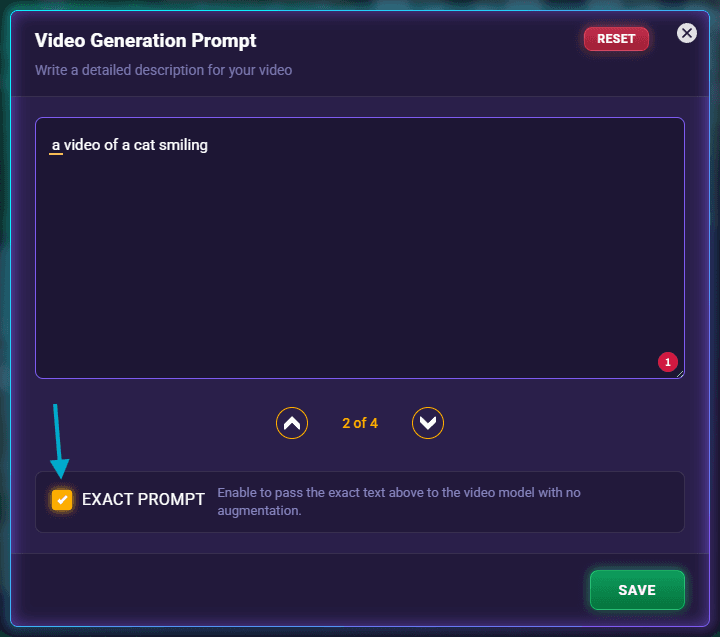
Need pixel-perfect control? Enable the new 'Exact Prompt' checkbox to use your prompt exactly as written, with no AI augmentation from Gemini. This is incredibly helpful for those tricky-to-achieve shots and maintaining consistency across related assets.
A Publishing Experience That Just Makes Sense
We've completely redesigned the Game Publishing flow based on your feedback:
Crystal Clear Testing and Submission
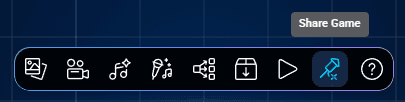
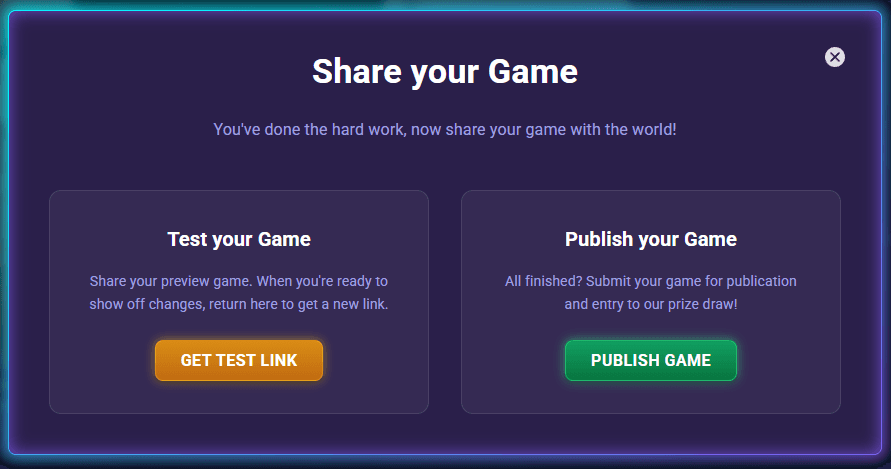
When you click Share Game, you'll now see clear options to either Test or Publish your game. No more guessing about what happens next!
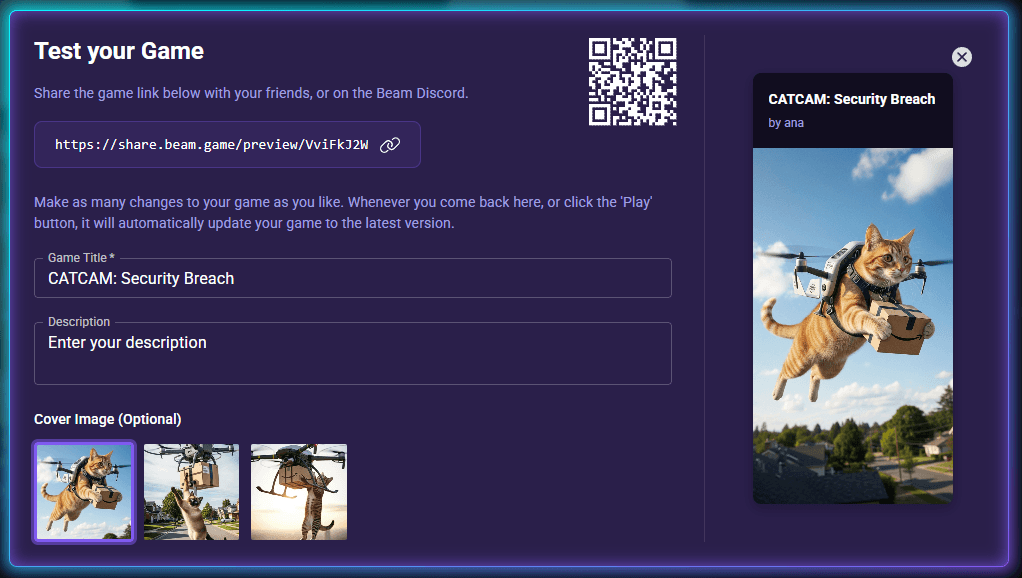
Your One-Stop Test Game Hub
Everything you need is now in one convenient modal—your game URL, a scannable QR code, game details, and cover image settings.
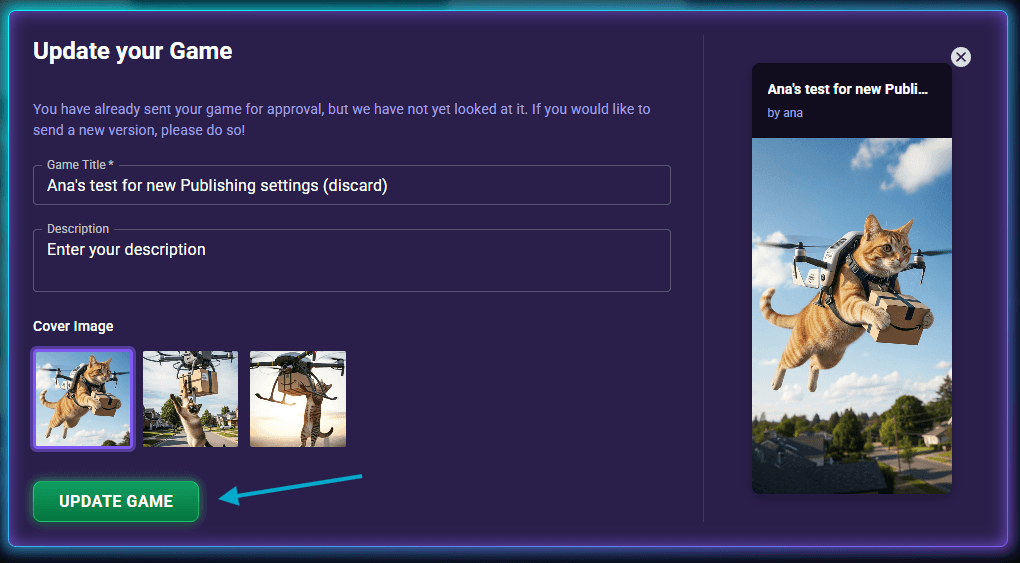
Flexible Submission Management
Update games while they're pending approval
Resubmit improved versions of rejected games (and actually see why they were rejected!)
Submit new versions of games that are already live
Work Smarter, Create Faster
We've added several thoughtful improvements to make your workflow smoother:
Smarter Asset Management
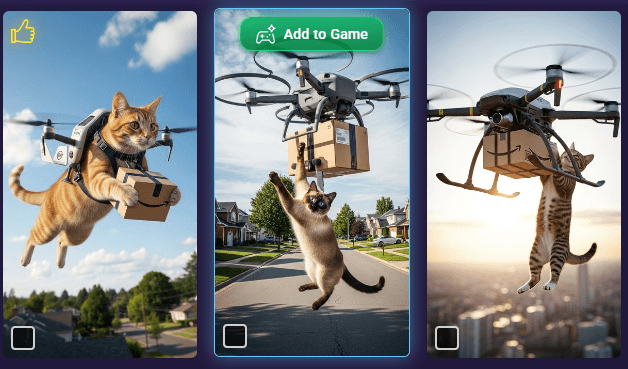
The "Add to Game" button is now brighter and appears when you hover over any asset in Gallery view—no more hunting for it!
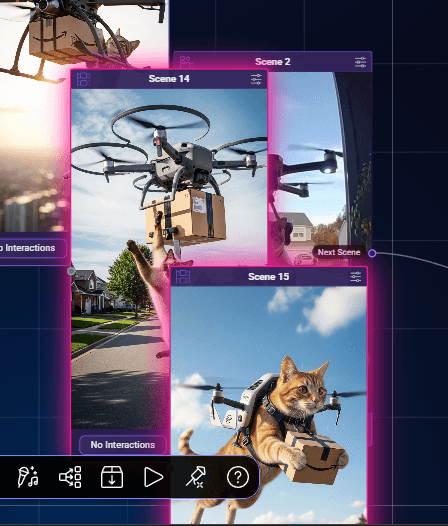
When you add multiple assets, they stack neatly with offsets instead of piling on top of each other
Newly created assets glow vivid pink so you can spot them right away
More Helpful Interaction Tools
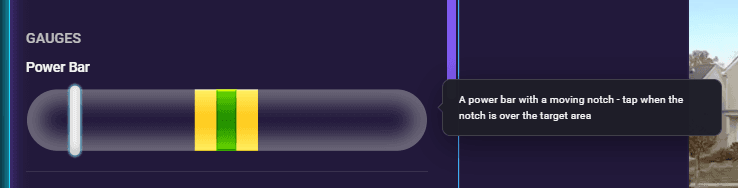
Hover over any interaction in the Interactions modal to see what it does—super handy tooltips are here!
Right-click menus now only show options that actually work for each item
Consistent, Intuitive Interface
Close buttons work the same way everywhere now
We removed unnecessary settings icons from Game Start and Game End nodes to keep things clean
We Fixed the Annoying Stuff
This update addresses several issues you've reported (thank you for that!):
Audio rename and delete now work properly—your changes actually save!
No more looped videos appearing over other content in the editor
Fixed the duplicate interaction bug when adding the same asset multiple times
Ctrl+c/v no longer creates broken cloned shapes
Resolved those pesky stale source-handler issues in text-to-video generation
Audio playback no longer throws errors when navigating between tracks
Ready to Dive In?
Beam v3.9.0 is live and ready for you right now! Whether you're creating an entry for the Beam Launch Cup (running until December 31st) or working on your next big project, these features are here to help you bring your vision to life.
We genuinely appreciate your continued feedback and support. It's what makes Beam better with every update. Come hang out with us on Discord to share what you create with these new features, or let us know what you'd love to see next!
Ready to create something amazing? Head over to Create and see what you can do with Beam v3.9.0. We can't wait to see what you make! 🎨✨